
Latest
How to find old YouTube community posts
If you use YouTube’s Community tab — Studio now calls it Posts — to share updates, memes, or polls, you’ve probably hit the same wall: there is no search bar.
After months or years of posting, finding an old poll or a past update can mean hours of scrolling.
This guide covers why YouTube community posts search is missing, what people try instead, and how YouTube Community Search, a FREE browser extension, lets you search your own post history in seconds instead of scrolling for hours.
Why you can’t search the Posts / Community tab
YouTube doesn’t give you a built-in way to search your community post history.
Even worse, the public YouTube API doesn’t provide you a searchable archive of those posts either. So the usual “export everything into another social tool” path doesn’t work here.
Creators who need YouTube posts history usually try one of two things:
- Endless scroll. Open the public Posts tab or Studio and keep scrolling, hoping you don’t skip the one you’re looking for.
- Ctrl + F. Browser find only searches what’s already on screen. YouTube loads posts as you scroll, so older community posts never get a chance to match.
That’s why “how to find old YouTube community posts” is such a common search — the tab is there, the history is there, and the search box isn’t.
Search and filter your community posts
YouTube Community Search is a browser extension from LionHart Web Services.
It imports your YouTube Community posts from YouTube Studio Analytics (Live Sync), stores them locally in your browser, and lets you search and filter that library — it finds ALL posts - text posts, images, polls, image polls, quizzes, and links/shares.
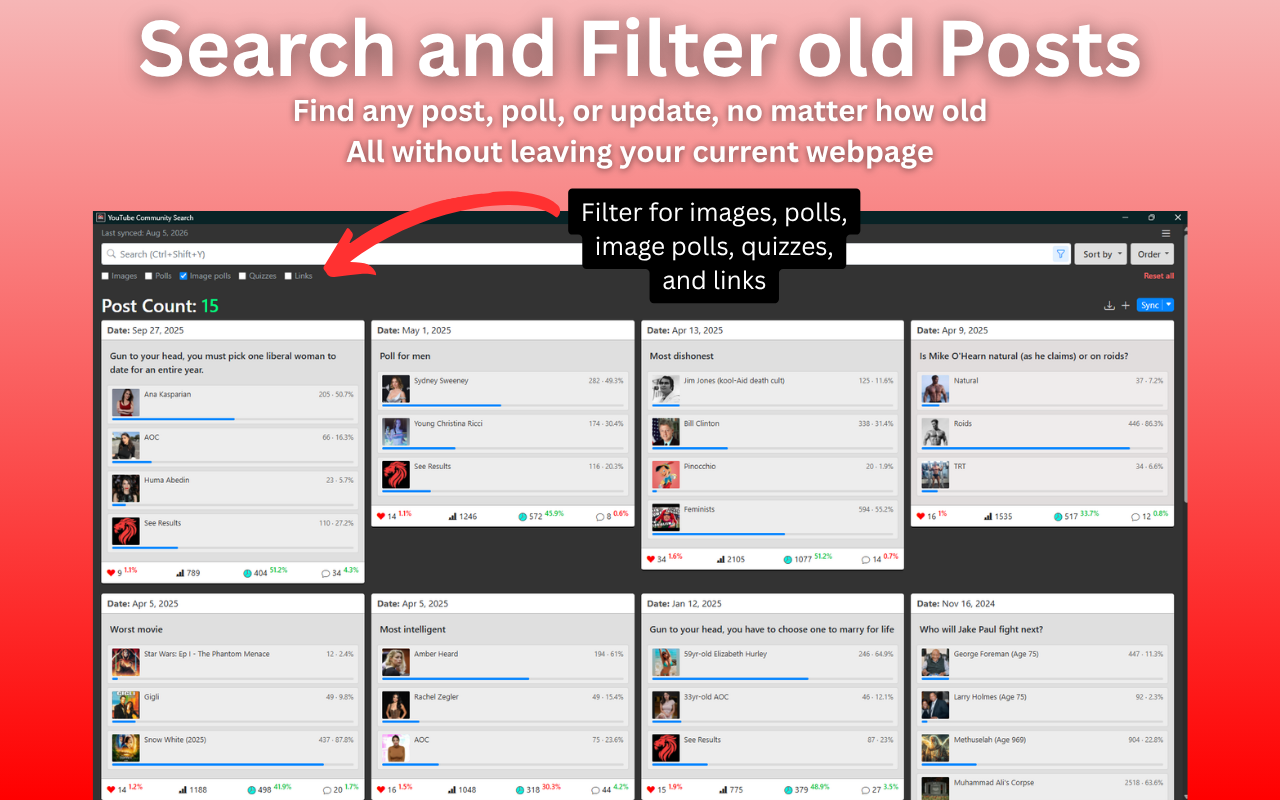
Type a phrase to find matching posts. Narrow the list to polls, images, or links when you only want that type.
YouTube Community Search can sync a large history — up to 5,000 posts in one sync — and keeps that library on your machine permanently, enabling full offline access to your post history.
Free displays your top 500 posts by impressions. The rest stay stored locally so they’re still in your library. The majority of what you're looking for will be in the top 500.
The extension works from your logged-in Studio session. It does not ask for your Google password.
Post content stays in your browser for normal use, rather than being sent to LionHart servers.
In an age of data breaches and privacy invasion, we take pride in being one of the few extensions that doesn't send your data to third parties.
How to sync and search your posts
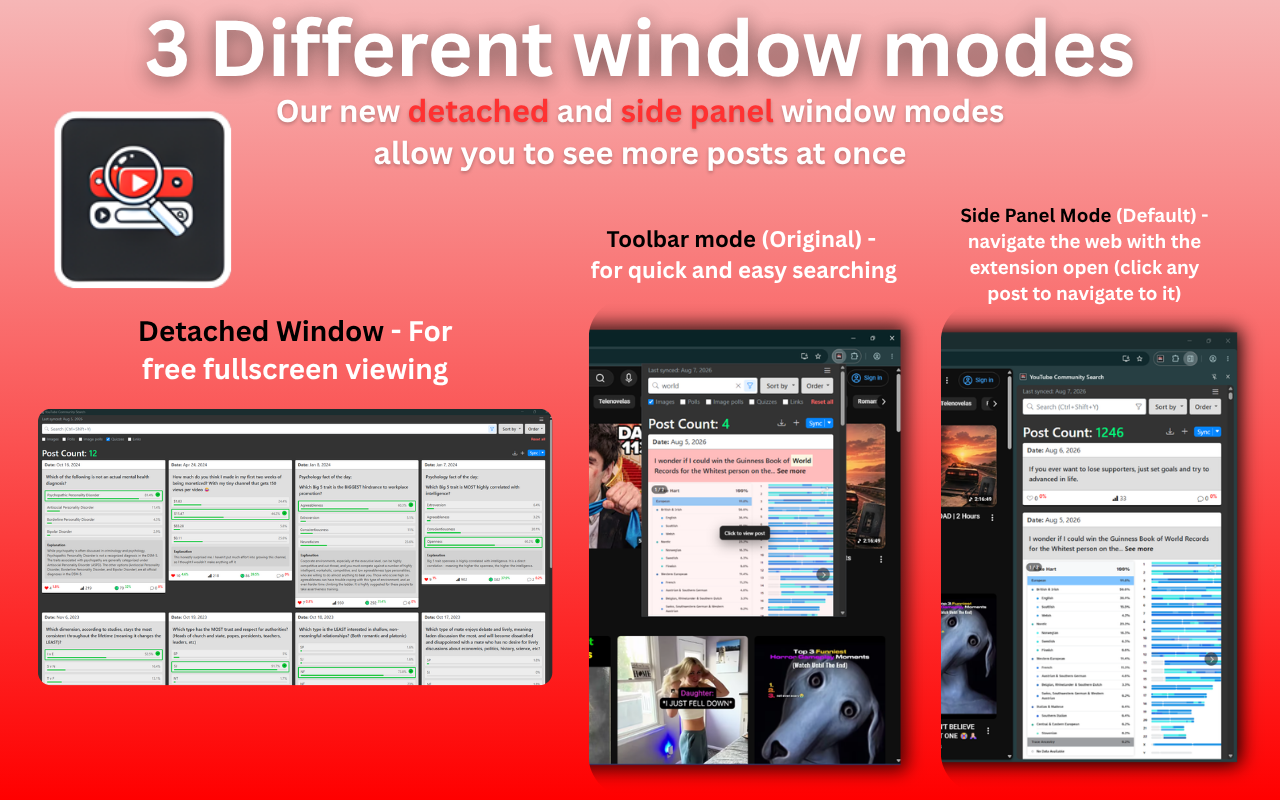
- Install the extension. The current upgraded version is live on Chrome, Firefox, and Edge.
- Log in to YouTube Studio. No need to have YouTube Studio open while you sync posts, just make sure you're logged in to YouTube and on the correct account you want to sync posts from. (side panel is recommended for easier syncing, but is not necessary).
-
Click the extension icon. A side panel will open with a button to "Sync Posts". Confirm the channel is correct and click "Get Posts Now". The extension will sync your posts automatically.
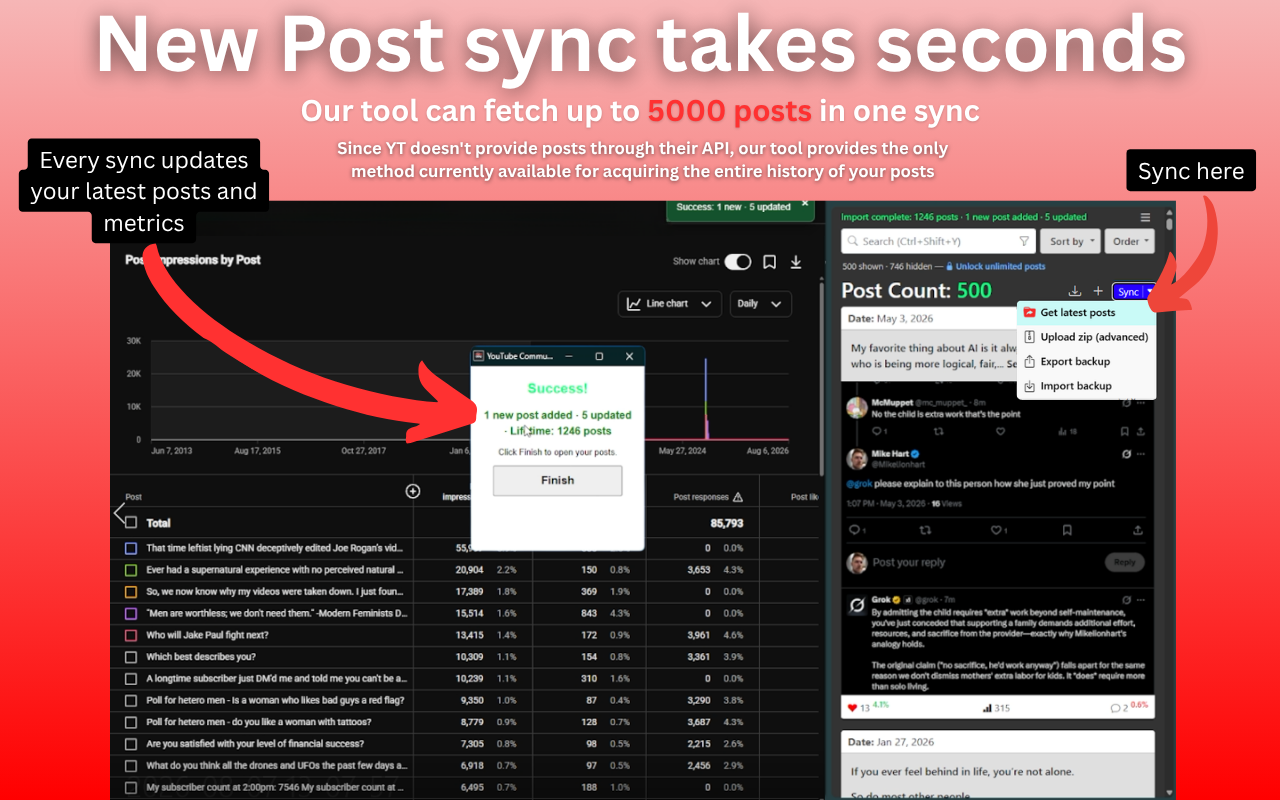
Live Sync from YouTube Studio Analytics -
Search and filter your library, including old polls and posts from
the community tab.
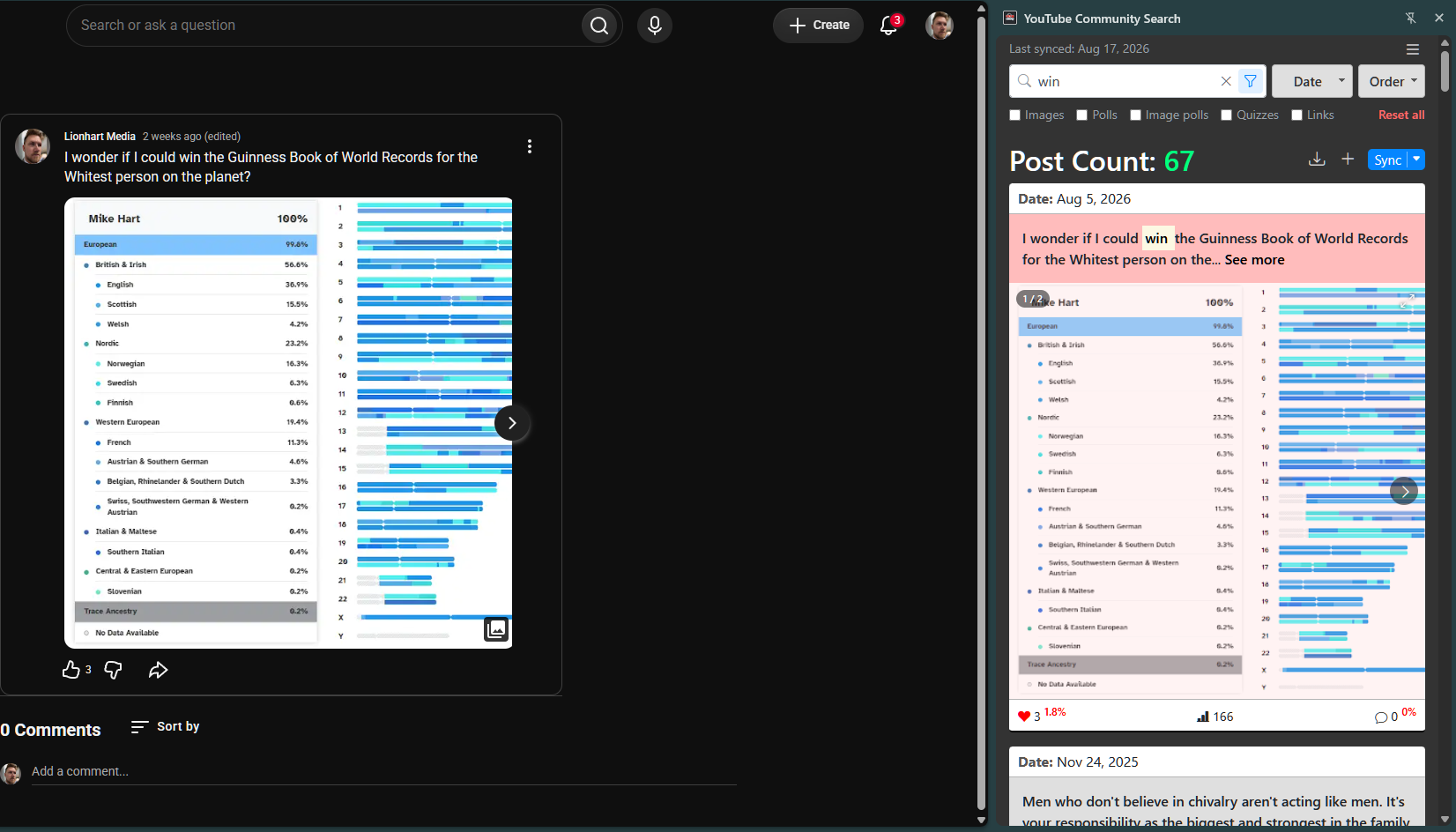
Search your post library -
Click any post to open it on YouTube.
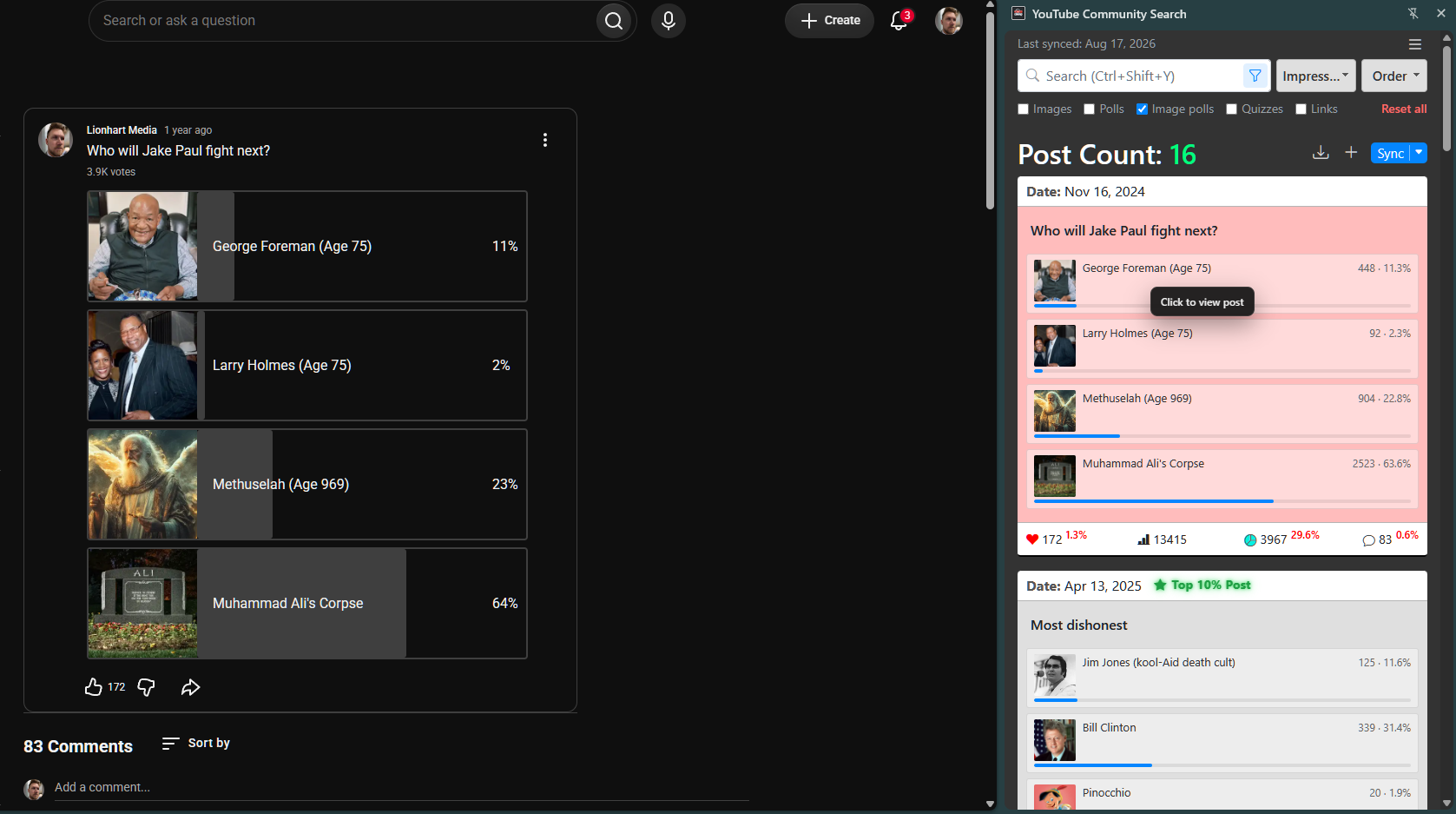
Click a post to open it on YouTube
Polls, metrics, and post history
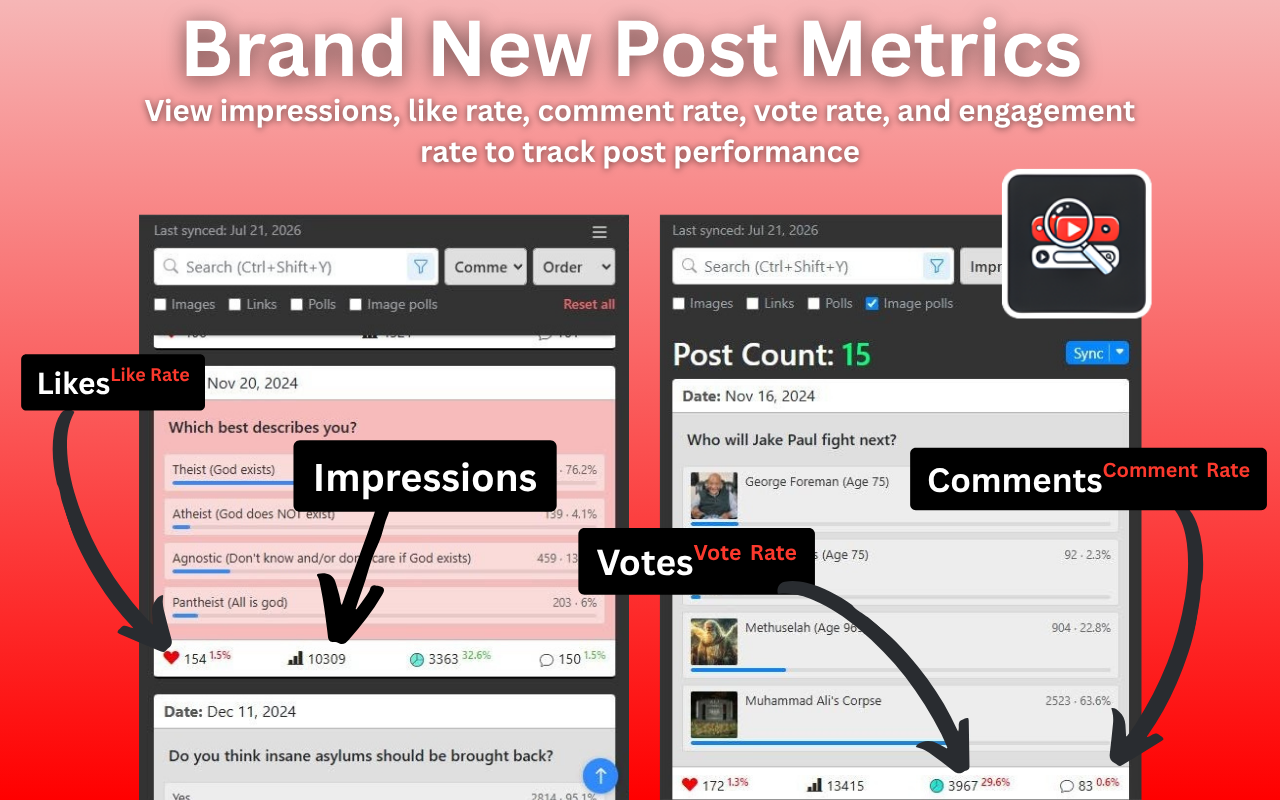
Once posts are in the library, you can filter for community polls and see metrics on each card — impressions, like rate, comment rate, vote rate, and engagement rate.
That beats hunting the same data down in Studio one post at a time.
Free vs Pro
Free includes Live Sync, local search and filters, basic post and channel analytics, and the top 500 posts by impressions - the vast majority of what you're looking for will be in the top 500. (full sync data stays in your local librar, and continues to update your top 500).
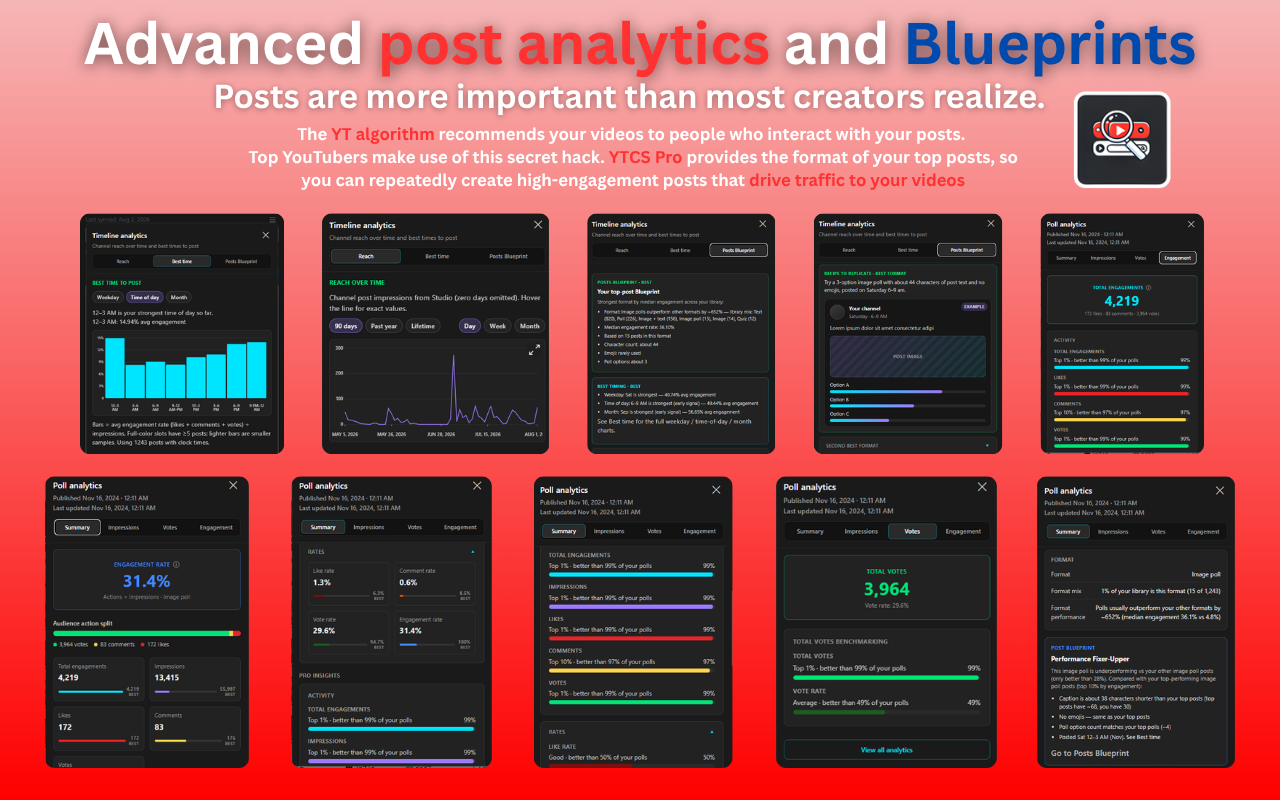
Pro removes the 500-post display cap and unlocks advanced analytics, best time to post, Blueprints (formats of your top posts), CSV export, and the ability to add up to three YouTube channels.
Details and prices are on the pricing page.
 Get it on Chrome
 Get it on Firefox
 Get it on Edge
More on What’s new, pricing, and support.